
The lash booking app that fills your diary and
gets you paid.
 Scan to install on your iPhone or iPad
Your whole week, in one calendar.
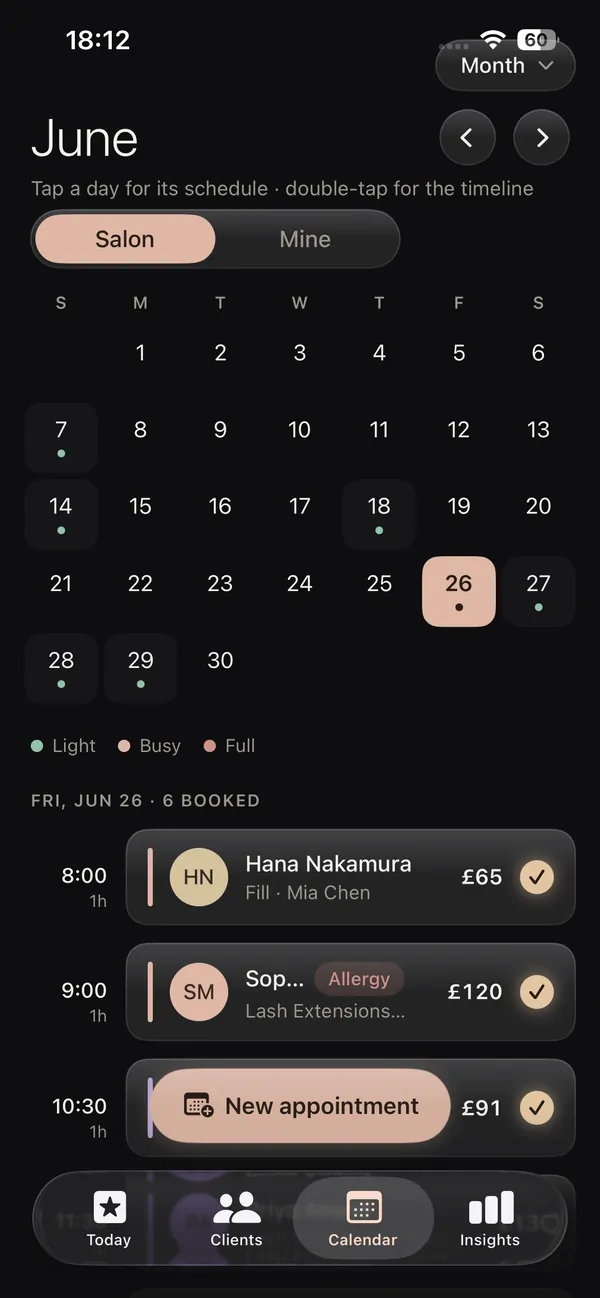
This is a lash booking app with a proper calendar, not a generic salon grid. See your week or month at a glance, view your own book or the whole salon, and tap any day to add an appointment. Every booking carries the lash style, the price and the client, so the diary in your pocket always tells you exactly what is coming next.
Nearly half of salon appointments, 46 to 50 percent, are booked after hours, when the salon is shut and nobody is there to answer the phone.
Build an appointment in seconds.
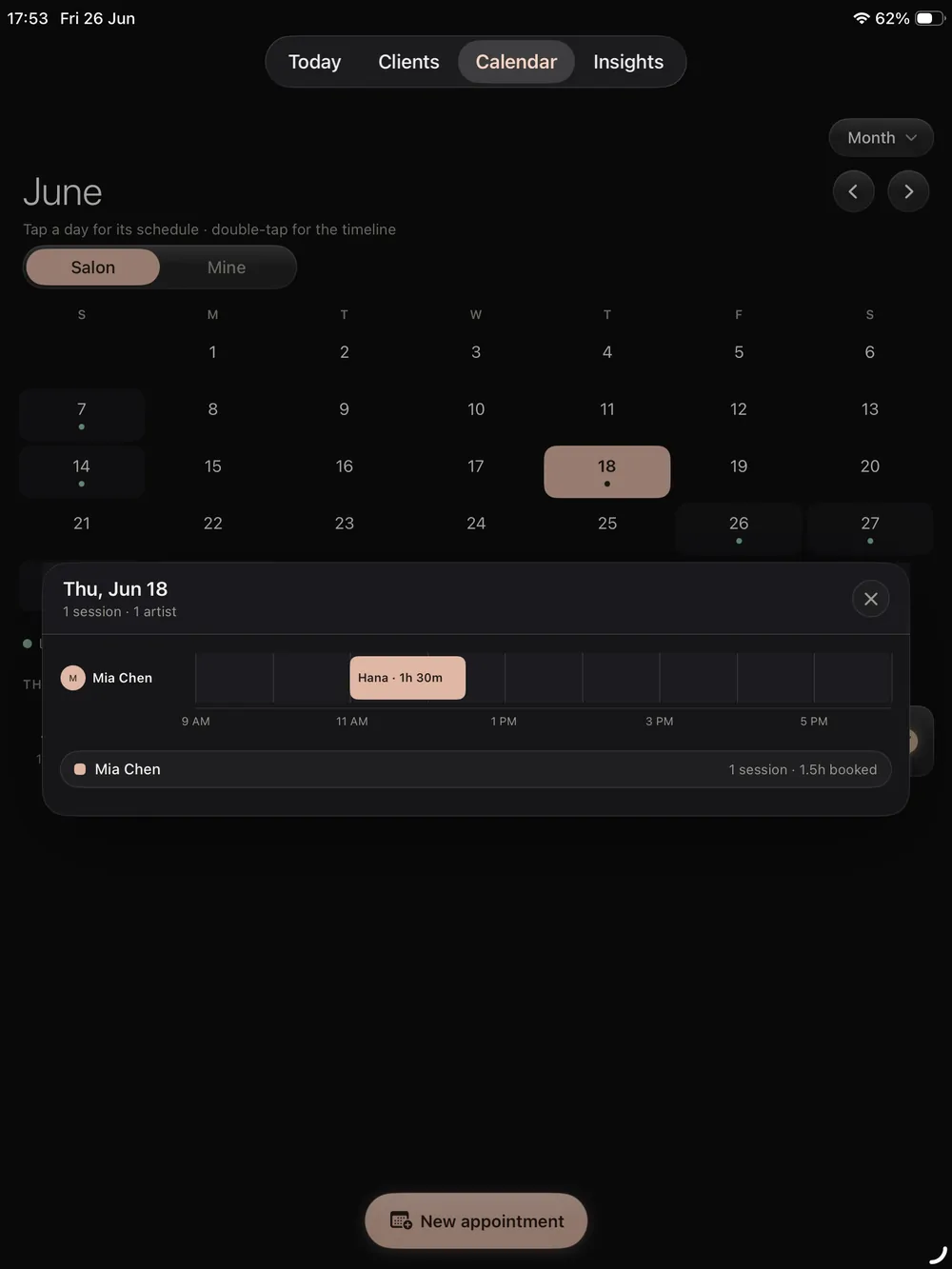
On iPad the day timeline gives you room to run a busy book. Open the new appointment wizard, pick the client, choose the lash style and the price comes with it, then drop it on the timeline. The larger screen is where a salon book really sings, so the front desk and the chair stay on the same page all day.
- New appointment wizard with per style pricing
- Day timeline for your own book or the whole salon
- The design from your mapping app attached to the date
More bookings. Better retention. Less admin.
The same app books the client, saves the design, takes the payment and follows up, so nothing slips and your calendar stays full.
Client records (CRM)
Every client with photos, past designs, health notes and rebook date.
Online booking page
Your own booking link, deposits and confirmations handled.
Salon website builder
Pick a designer template, live on your own link with booking built in.
Payments & insights
See what every visit earned and what your busiest styles are.
Reviews & aftercare
Aftercare emailed after every set, reviews you own on your own site.
Lash mapping & design
Map every set on a real photo, layer styles and curls, save to the client.
Every setup in the app, walked through on video, on your own schedule.
From a tap to a logged visit.
One flow takes a lash appointment from the calendar to a completed, paid and recorded visit.
Open the day
Tap a day in the calendar and start a new appointment in seconds.
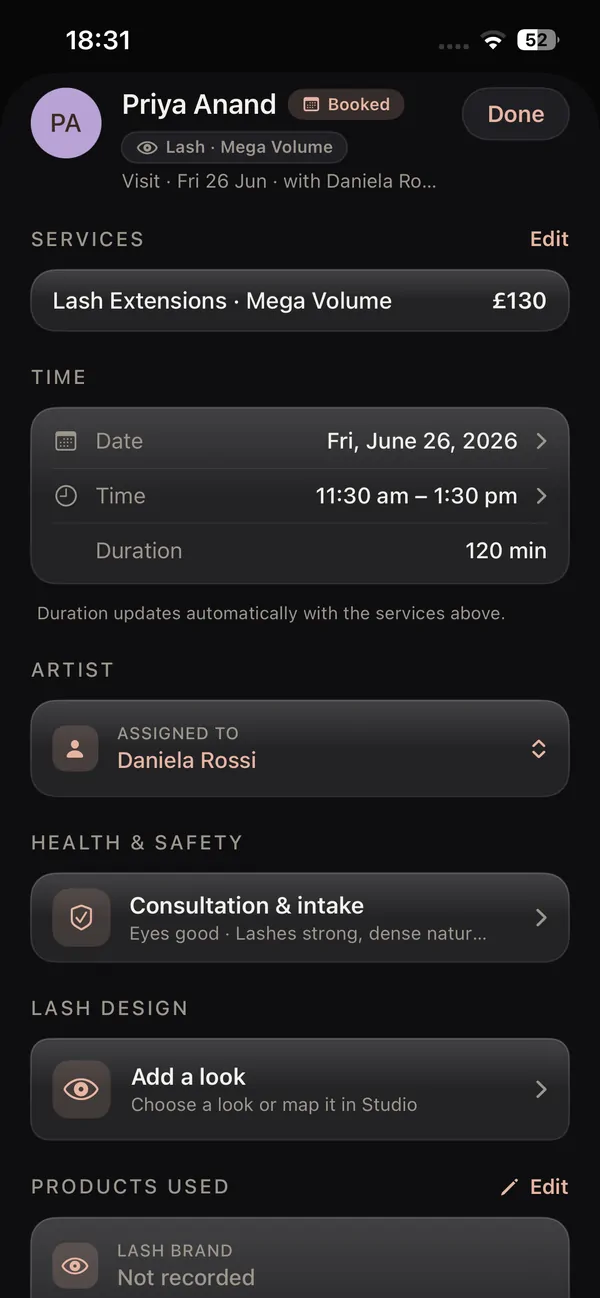
Price by style
Pick the client and lash style, and the price and time come with it.
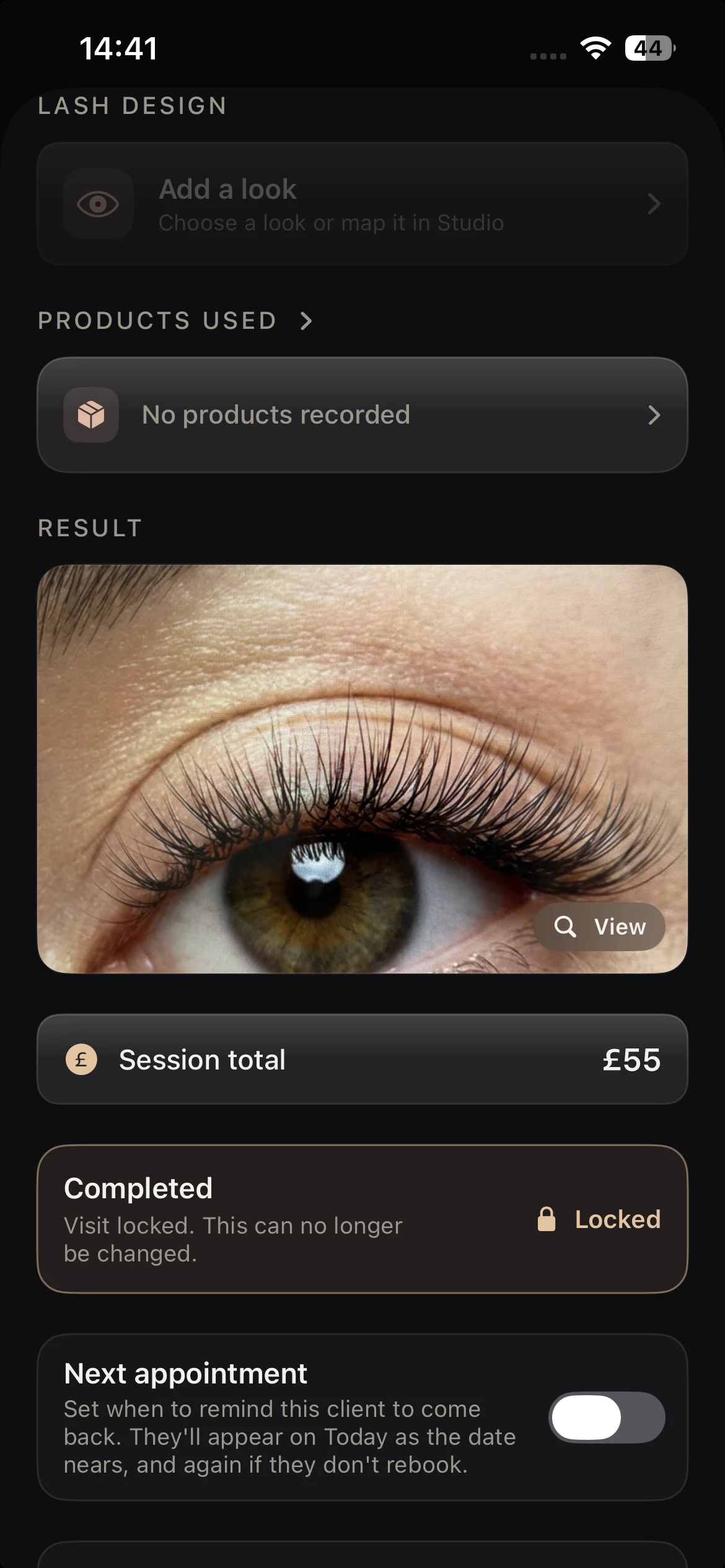
Complete and log
On the day, log the design, recipe and result against the visit.
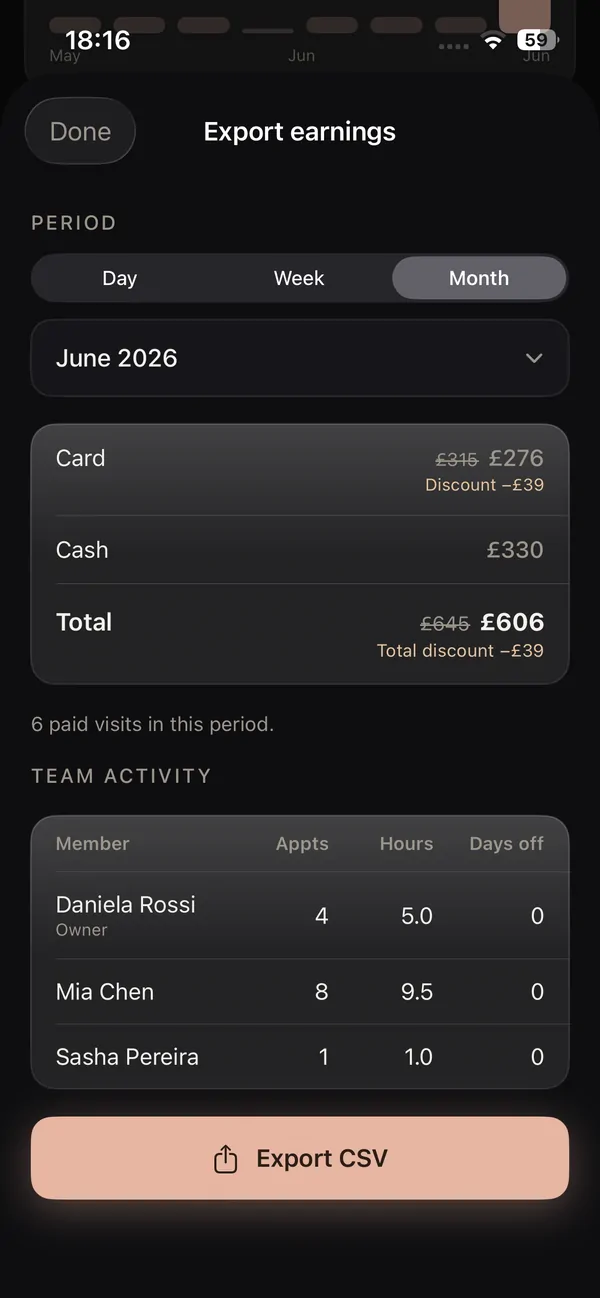
Take payment
Record the payment by card, cash or transfer, tracked on the client.
Every visit logged, every payment tracked.
When the set is done, the appointment becomes a record of the work. Log the design, the recipe and the result photo, then mark the payment by card, cash or transfer. Deposits and balances are tracked, so you always know who has paid and who still owes, and your takings flow straight into your insights instead of a notebook.
Because it is one loop, the design from the mapping app and the rebook date follow the visit onto the client record automatically.
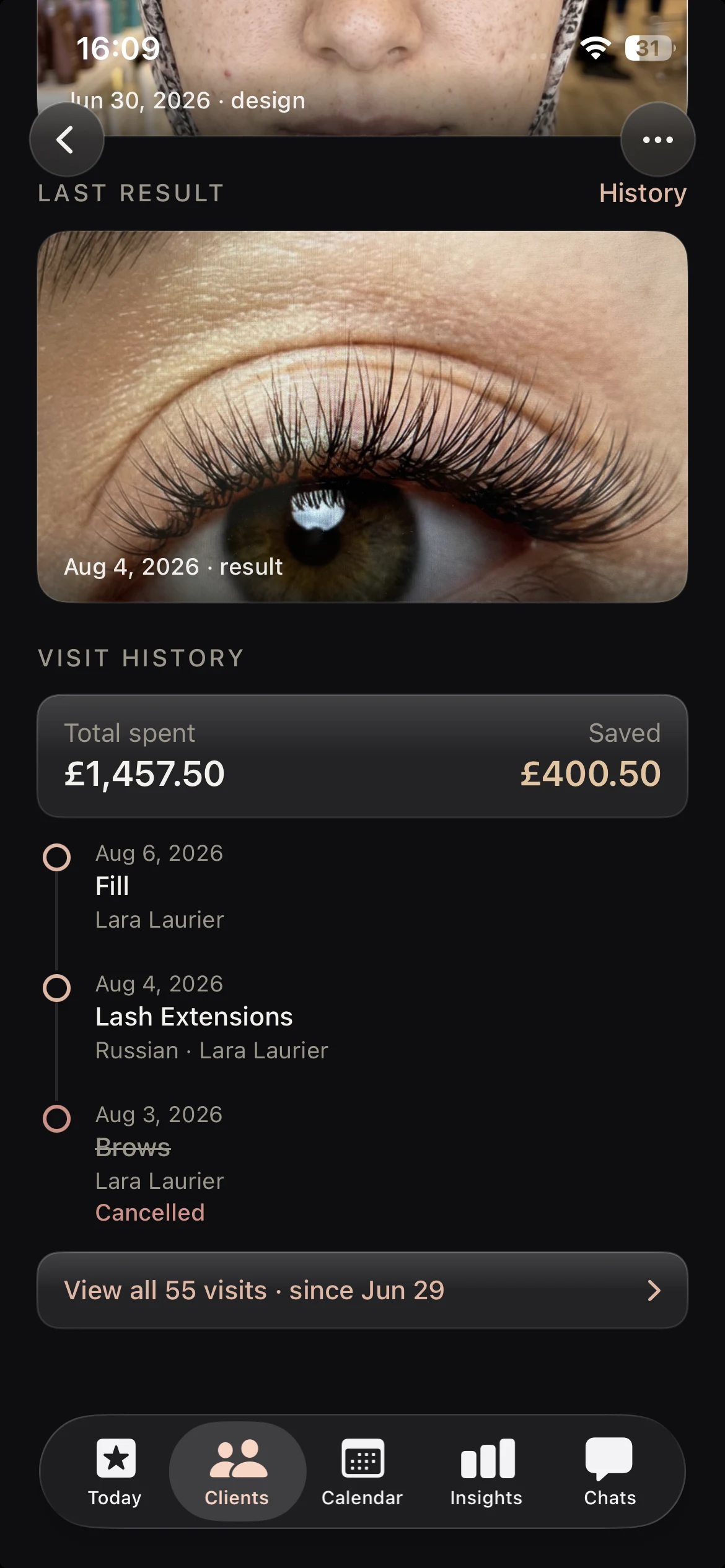
A lash booking app for iPad, iPhone and iOS.
Native and made for the device in your hand, so your diary travels with you wherever you lash.
Lash booking app for iPad
The big screen suits a busy book. Run the day timeline, see the whole salon at once and build appointments with room to breathe. The lash booking app for iPad turns the front desk into a calm, organised hub.
Lash appointment book for iPhone
Carry your diary in your pocket. The lash appointment book for iPhone lets you add bookings, check the next client and take payment on the go, then everything is waiting on iPad when you sit back down.
Built natively for iOS
Lash Create is a native iOS app, not a slow web page in a browser. Your calendar, appointments and payments all run fast on device, so booking stays smooth where broad web platforms feel heavy.
A booking app that speaks lashes
Most booking apps were made for every beauty service at once, so they treat a lash fill like a haircut or a facial. You set up a generic service, type in a price and hope you remember the detail. Lash Create starts from lashes. The new appointment wizard prices by lash style, the calendar knows the difference between a full set and a fill, and the completion log holds the design, the recipe and the result. It's a lash booking app first, so the booking and the lash work are never in two separate worlds.
Why one loop beats a pile of apps
The big platforms can take a booking, but the booking lives apart from everything else. In Lash Create the appointment is one object in a single loop. The design you build in the lash mapping app attaches to the date, the visit saves to the client record, the fill cycle drives the rebook, and clients can request the next slot through online booking. Design, booking, record and rebook all live on one client, and that's the part a broad booking app can't give you without rebuilding itself around lashes.
Lash booking app vs the alternatives
| What it takes | Paper diary & notes | Broad salon apps (Fresha/Booksy) | Lash Create |
|---|---|---|---|
| Per style pricing | Worked out by hand | Generic services | Priced by lash style |
| Weekly & monthly calendar | Paper pages | Yes, generic | Solo book or salon wide |
| Completion log | Scribbled notes | Basic notes | Design, recipe, result |
| Payment tracking | Cash tin | Card focused | Card, cash or transfer |
| Design saved to the booking | No | Separate from any design | Map lives on the date |
| Works on iPad & iPhone | Paper only | Web, often clunky | Native on both |
| Built for lashes | No | No | From the ground up |
| Day timeline view | Paper only | Generic grid | Timeline built for lashes |
| Deposits & balances tracked | In your head | Basic | Per appointment, automatic |
| Online booking & embed widget | No | Yes | Your link, or embed on your site |
Run your lash diary from one app
Start 14 day trialCancel anytime. The free app still covers design and try on.
Everything you need to run the diary.
One app for the calendar, the pricing, the payment and the client record behind it, on iPad and iPhone.
A lash booking app for iPad
Open the lash booking app for iPad and the day runs as one timeline on the largest screen you own. Build appointments with per style pricing, then flip between your own book and the salon calendar. On the Salon plan that calendar holds the owner plus up to nine artists, each with their own scoped book.
A lash appointment book for iPhone
You do not need a tablet to run your diary. The lash appointment book for iPhone lets you add bookings, check who is next, message a client straight from the appointment and take payment from your pocket, then pick it all back up on iPad because it is the same account.
A lash calendar app, not a generic grid
A lash calendar app should know the difference between a full set and a quick infill, and this one does. Weekly and monthly views carry the style and the fill cycle, and a client on a prepaid bundle draws a session down the moment you complete the booking.
Lash booking software with payments
Lash booking software has to track the money as well as the time. Log each payment by card, cash or transfer, follow deposits and balances, and send the takings into your earnings insights. Card payments run through Stripe, which charges its card fee while Lash Create takes nothing on top.
A booking app for lash techs and salons
Solo this year, a team the next. This booking app for lash techs keeps one book while you work for yourself, then opens a salon wide calendar where every artist gets their own scoped book. Moving up to the Salon plan later keeps every client record you have already built.
Let clients book themselves online
Pair the diary with online booking for lash techs, so clients request slots at any hour from your own page or a widget on your website. Every request waits for your approval, and you can ask for a deposit through Stripe before the slot is held.
Frequently asked questions
Is there a booking app made for lash techs?
This one is. Lash Create was made for lashes and nothing else, so you get a real calendar, an appointment wizard with per style pricing, and completion logs that hold the design, recipe, result and payment against each client.
Does it work on iPad and iPhone?
It does, natively on both. Run the diary from the iPad on your desk or the iPhone in your pocket, and it's one account either way.
Can I set per style pricing?
That's the default. The appointment wizard prices by lash style and service, so a classic set, a hybrid and a volume fill each carry their own price and time, and the total adds itself up.
Does it track payments?
Yes, and the deposit with it. You log the payment on completion by card, cash or transfer, the balance stays on the visit, and your takings feed your insights.
Can clients book themselves online?
Turn on a public booking page at your own link, or drop a booking widget into the site you already have. Clients request a time whenever it suits them, you approve it, and you can ask for a deposit through Stripe first. See online booking for lash techs for the full detail.
How much does the lash booking app cost?
The calendar, the bookings and the payments sit in the Business plan, $19.99 a month or $129.99 a year after a 14 day free trial. Lash design and try on stay free.