

The lash payments app that shows
what your lashes earn you.
 Scan to install on your iPhone or iPad
Run your salon on real numbers.
Lash payment tracking and business insights should not mean a spreadsheet you keep forgetting. Lash Create shows your earnings over time, your most popular styles and your busiest periods, all built from the appointments you have already completed. On iPad the whole picture opens at a glance, so you stop guessing from your bank balance and start running the business on what is actually happening.
A salon with a $75 average service and a 15% no show rate loses about $54,000 a year. Taking deposits cuts no shows by 60 to 80 percent, and with automated reminders on top it brings them below 5%.
Because the numbers come from real bookings, not manual entry, they are always up to date the moment you finish a set.
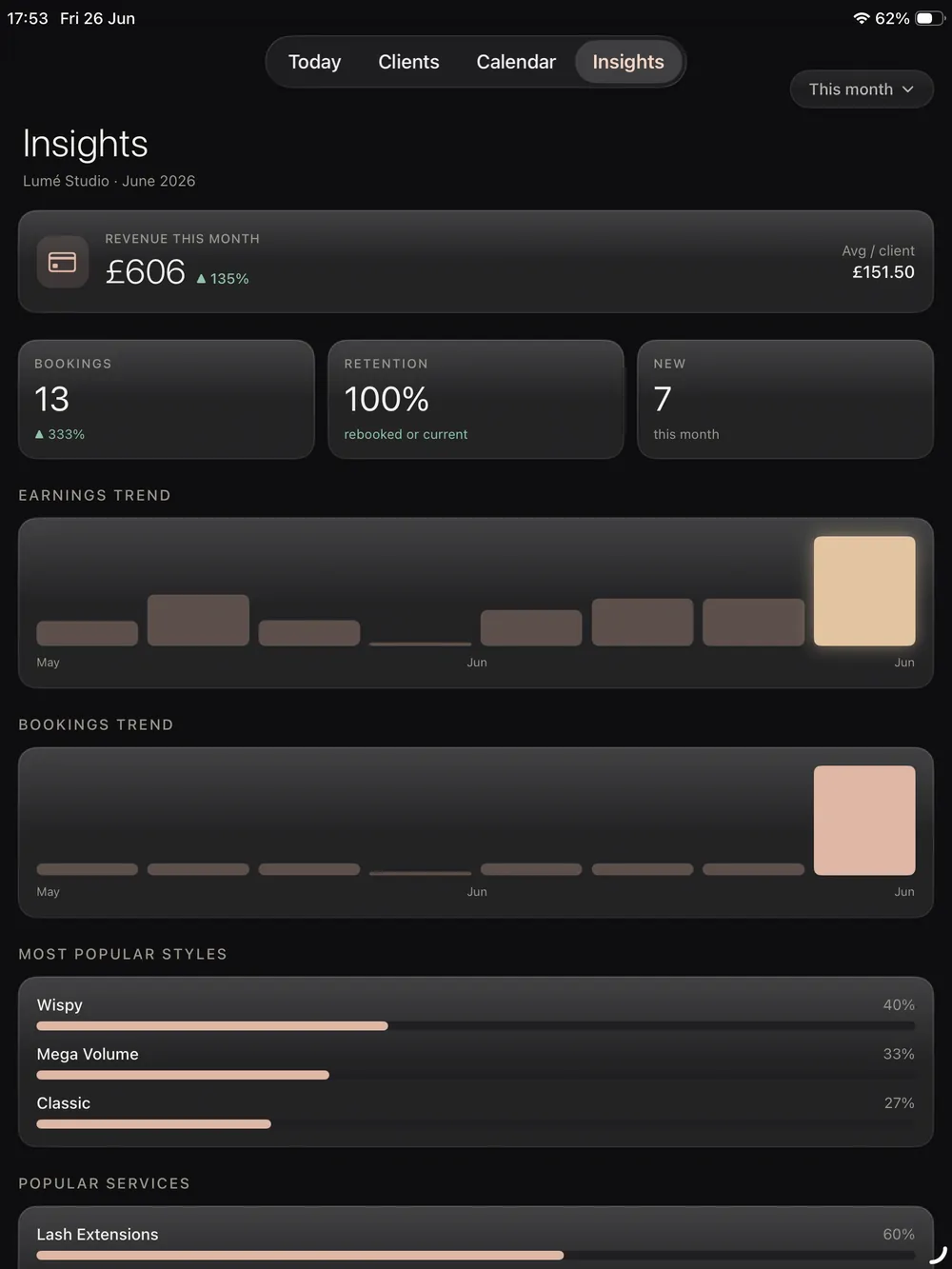
Every payment logged the moment you finish.
When you complete an appointment, the payment is logged right there with it. Card, cash or bank transfer, and you can break card and transfer down into your own sub types, so the record matches exactly how you take money. There is no separate bookkeeping app to keep in step, because the price and the payment ride along with the booking on the client record.
- Log card, cash and transfer on every appointment
- Add your own card and transfer sub types
- Payments tied to the booking and the client
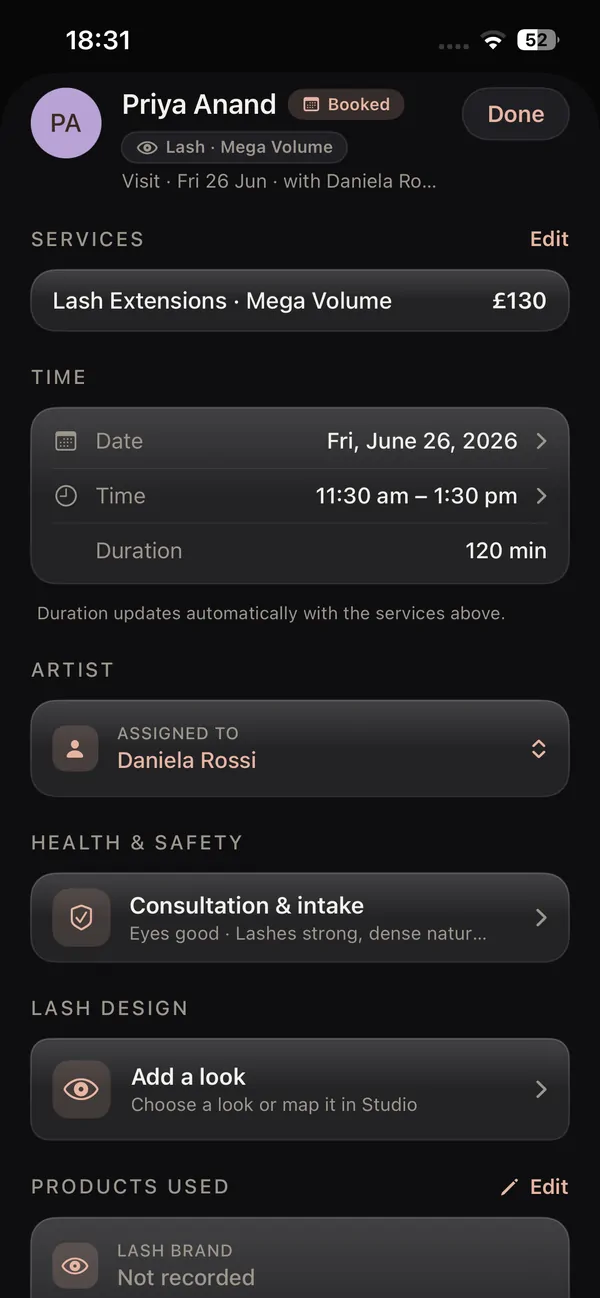
More bookings. Better retention. Less admin.
The same app books the client, saves the design, takes the payment and follows up, so nothing slips and your calendar stays full.
Client records (CRM)
Every client with photos, past designs, health notes and rebook date.
Booking & calendar
A calendar made for lashes, with pricing per style and reminders on the fill cycle.
Online booking page
Your own booking link, deposits and confirmations handled.
Salon website builder
Pick a designer template, live on your own link with booking built in.
Reviews & aftercare
Aftercare emailed after every set, reviews you own on your own site.
Lash mapping & design
Map every set on a real photo, layer styles and curls, save to the client.
Every setup in the app, walked through on video, on your own schedule.
The numbers that actually move your week.
Every completed appointment feeds the picture, so the insights stay honest and current.
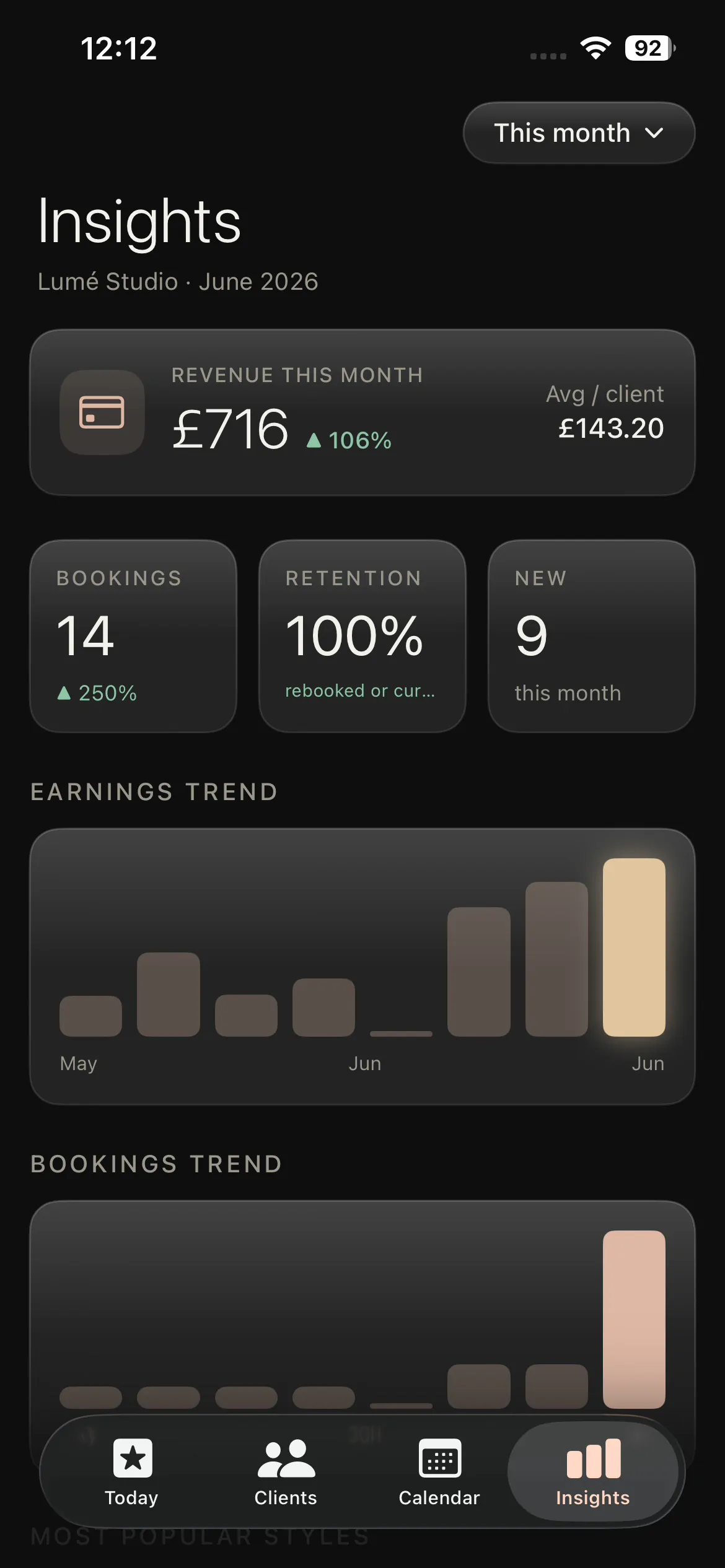
Earnings over time
See how a week, a month or a season compares and watch the trend.
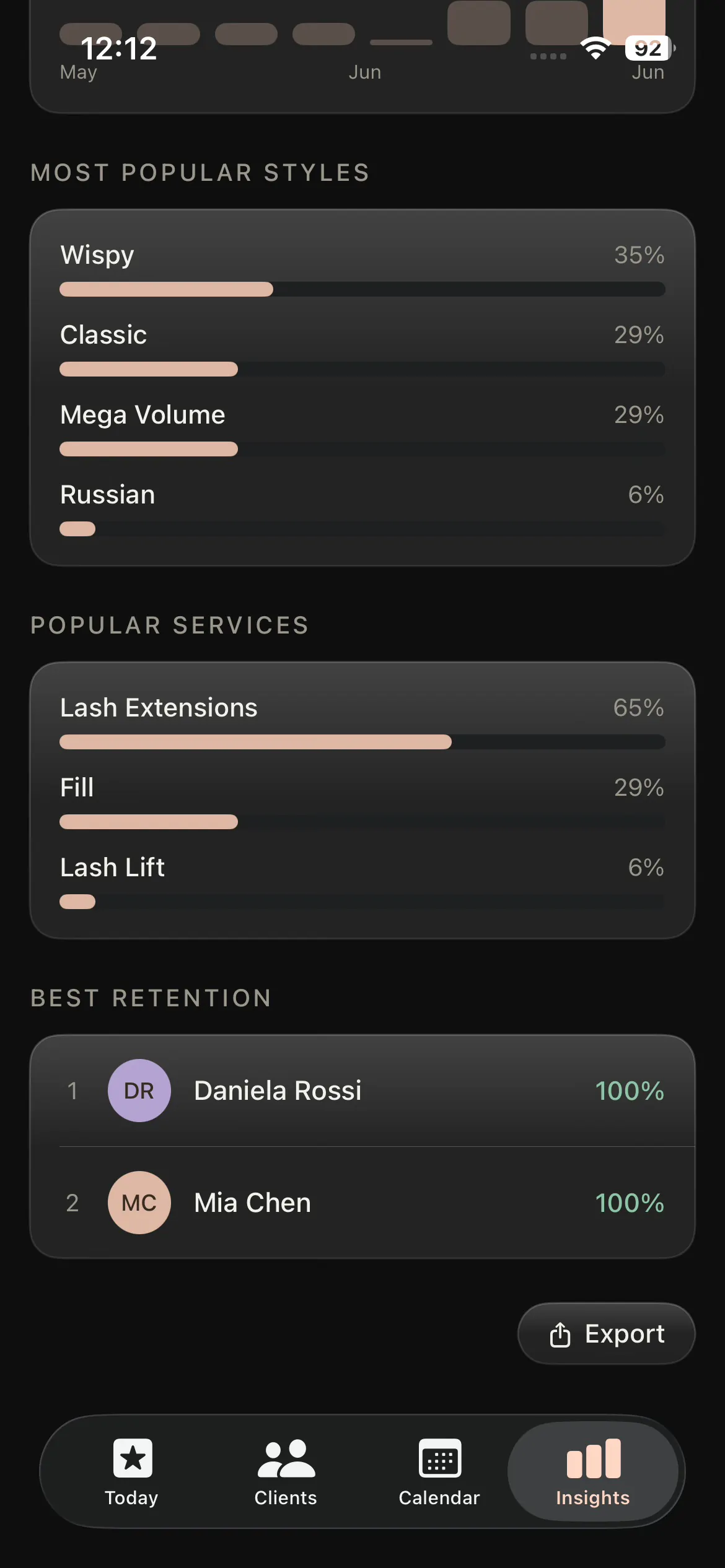
Popular styles
Find the services and looks that really fill your column.
Retention
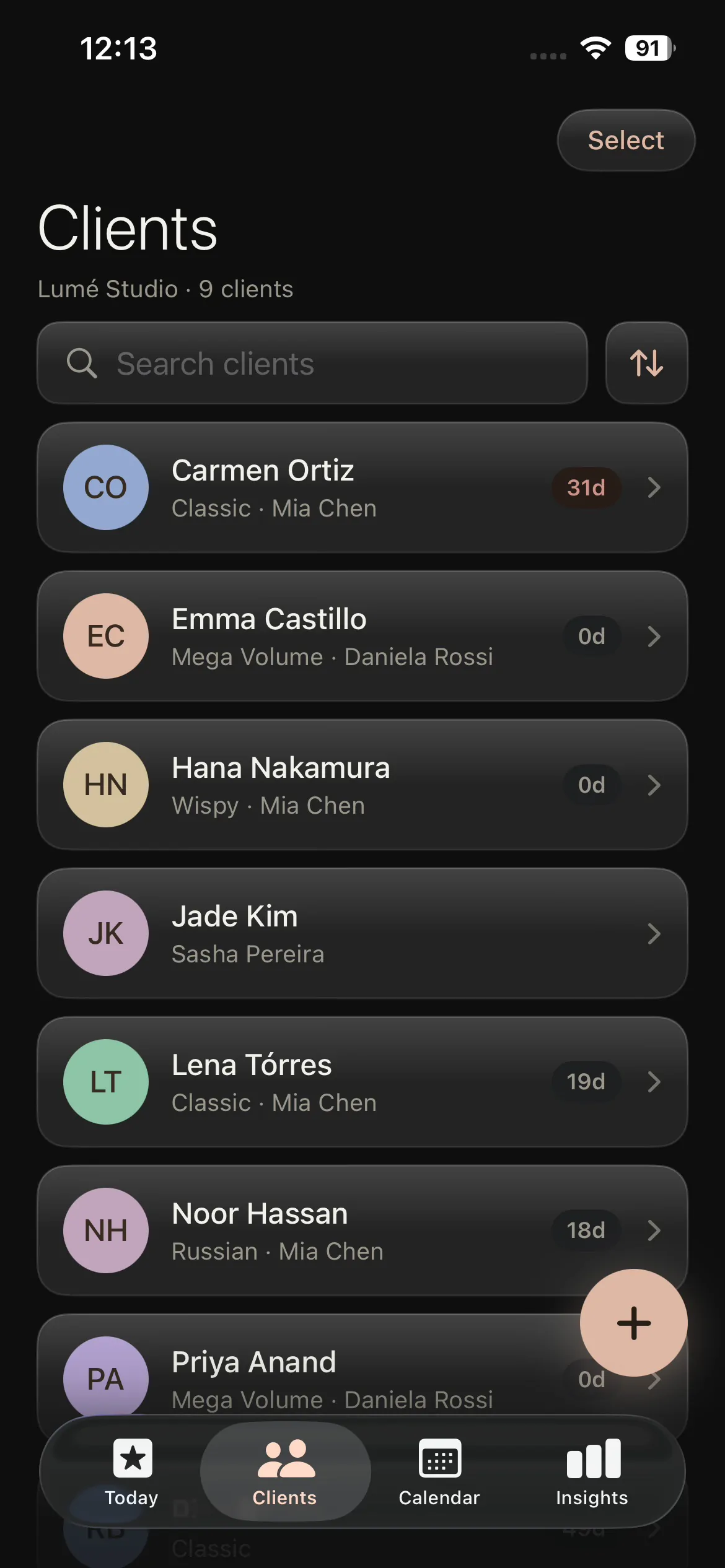
See who is coming back and where clients are slipping away.
Export CSV
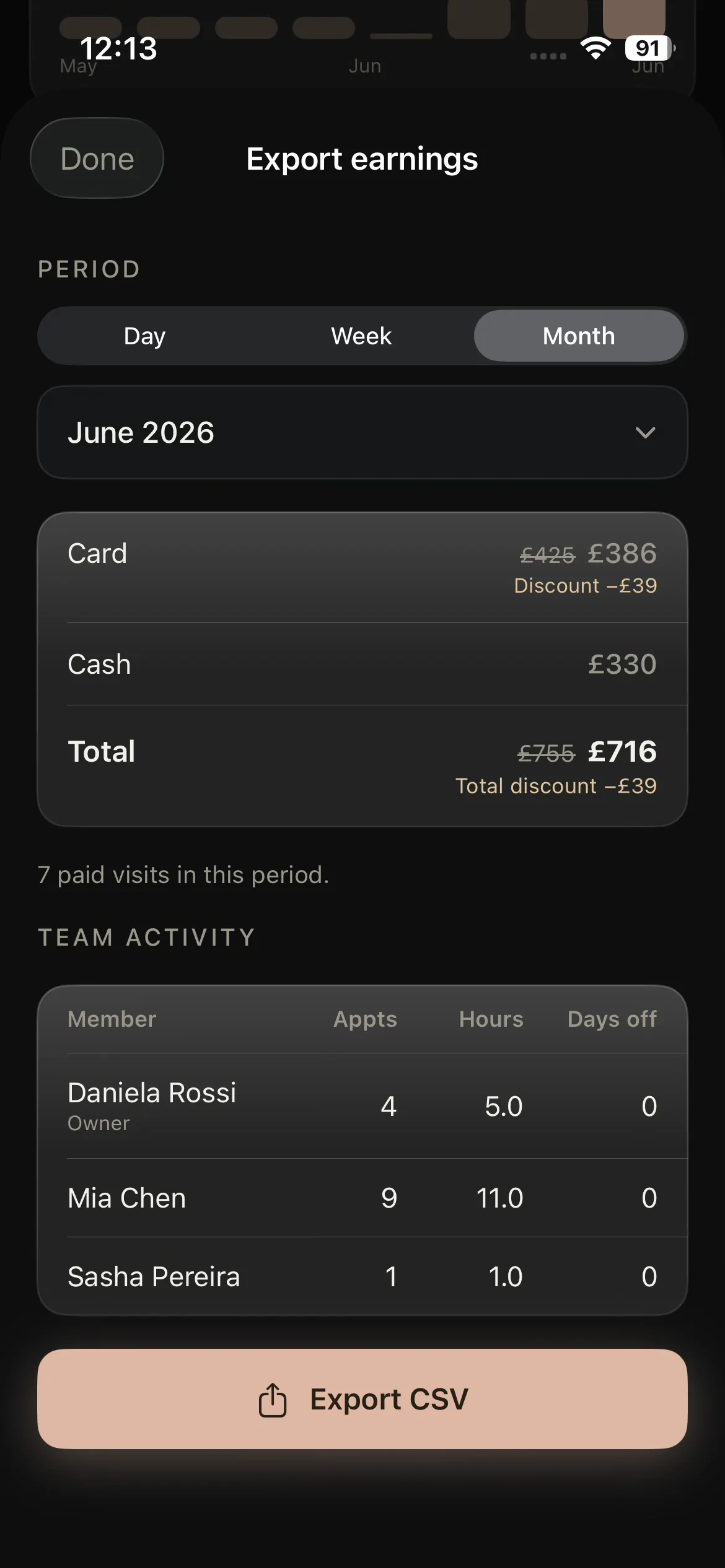
Hand a clean earnings export to your accountant in a tap.
One loop, from the design to the takings.
This is where lash specific software pulls ahead. Every completed appointment logs the design, the recipe, the result, the price and the payment in one move, so your insights are built from real work rather than figures you type in at the end of the week. Nothing falls through the gap between a booking app, a notes app and a spreadsheet, because it is all one loop.
It runs straight off your booking and calendar and your client records, so the moment you mark a set complete the takings, the popular styles and the retention picture all update on their own.
Payments and insights for iPad, iPhone and iOS.
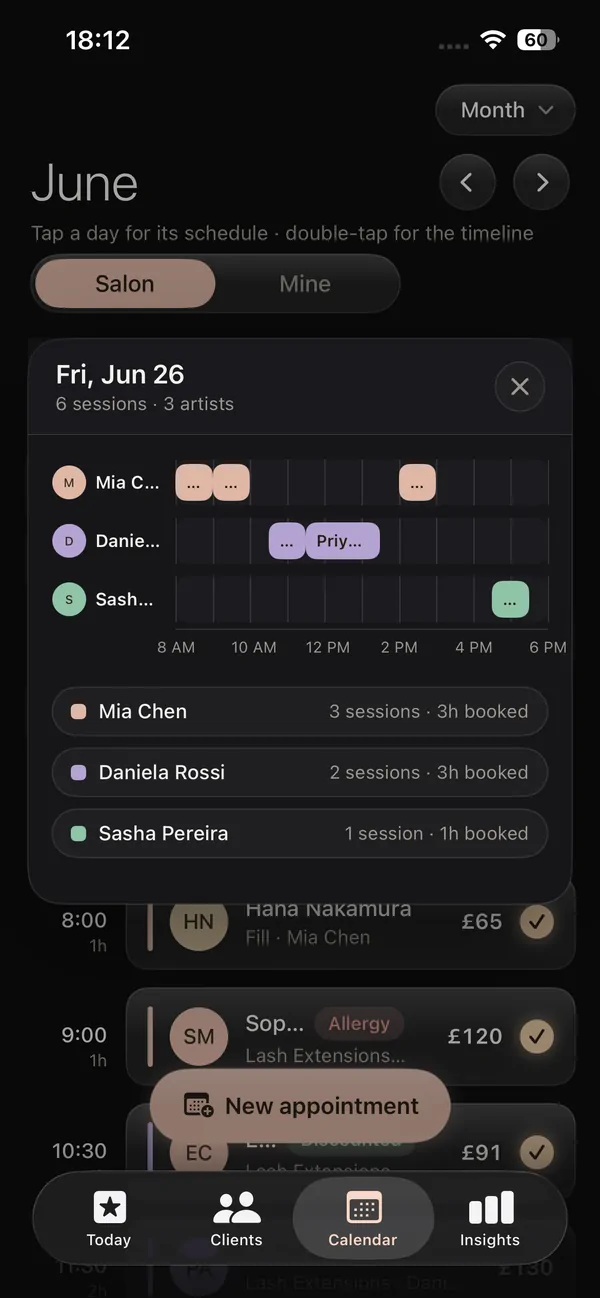
Native and made for the device in your hand, with the numbers always in sync.
Lash payments app for iPad
The bigger screen is where the picture comes together. The lash payments app for iPad opens your earnings over time and your most popular styles side by side, so you can plan your week and your promotions from one clear view at the bed.
Lash business app for iPhone
Your takings in your pocket. The lash business app for iPhone lets you log a payment the moment a set is finished and check today's earnings between clients, then open the full insights on iPad whenever you want the wider view.
Built natively for iOS
Lash Create is a native iOS app, not a slow web page in a browser. Payment tracking, insights and the CSV export all run on device, so your numbers stay fast and private where broad web platforms feel heavy and generic.
Insights that speak lashes, not a generic report
Broad salon software can total up what you took, but it has no idea what a style, a curl or a fill cycle is, so its reports stop at money in and money out. A lash tech needs to know which looks fill the column, which clients keep coming back and which weeks run quiet, and that only works when the payment data sits next to the design data. Lash Create keeps them together, so the insights tell you about your lash business instead of handing you a bland accounting summary you still have to interpret.
Why a lash specific insights app beats broad salon software
The big platforms keep the booking, the design and the takings in separate worlds, and a spreadsheet keeps nothing in step at all. In Lash Create the design, the price and the payment are logged by the same completed appointment, so your earnings over time, your most popular styles and your retention all come from real bookings with no double entry. That single loop, design to booking to record to payment, is the part broad software cannot copy without rebuilding around lashes. Payments and insights are part of the Business plan, so they grow out of the same app you already design and book in.
Lash payments and insights vs the workarounds
| What it takes | Broad salon apps | Spreadsheets & notes | Lash Create |
|---|---|---|---|
| Payment logged per appointment | Sometimes | Manual entry | Logged on completion |
| Card, cash & transfer sub types | Generic categories | Whatever you remember | Your own sub types |
| Earnings over time | Basic totals | You build the formulas | Trends from real bookings |
| Most popular lash styles | Not built for it | Counted by hand | Surfaced automatically |
| Numbers from real bookings | Entered again | Typed in by hand | Straight off the appointment |
| Export earnings as CSV | Sometimes | It is the spreadsheet | One tap |
| Built for lashes | No | No | From the ground up |
| Deposits & balances | Sometimes | Manual | Tracked per appointment |
| Busiest periods & trends | Basic | You calculate | Surfaced automatically |
See what your lashes really earn you
Start 14 day trialCancel anytime. Card payments run through Stripe, and Lash Create takes nothing on top.
Everything you need to track the money.
One app for payments, insights and the bookings behind them, on iPad and iPhone.
Lash payment tracking
Lash payment tracking that actually fits the way you work. Every appointment logs how it was paid, card, cash or transfer, with your own sub types, so the record matches your real takings. Card payments run through Stripe, which charges its card fee while Lash Create takes nothing on top.
Lash business insights
Lash business insights built from real bookings. See your earnings over time, your most popular styles and your busiest periods, so you can plan your week and your promotions on what is actually happening, not a guess.
A lash payments app for iPad
The lash payments app for iPad opens the whole picture on the larger screen. Earnings over time and popular styles sit side by side, so the numbers are easy to read between clients or at the end of a long day.
A lash business app for iPhone
The lash business app for iPhone keeps your takings in your pocket. Log a payment the moment a set is done, check today's earnings between clients, and open the fuller insights on iPad whenever you want the wider view.
A lash income tracker that exports
A real lash income tracker hands the data back. Export your earnings as a CSV for your accountant or your own records, all built from completed bookings rather than figures you typed in by hand.
One loop with your client records
The takings ride on the same loop as your client records and designs. Mark a set complete and the price, the payment and the style all log at once, so this lash analytics app stays current with no double entry.
Frequently asked questions
Does it track card, cash and transfer payments?
Every one of them. Each appointment logs how it was paid, and you can break card and transfer down into your own sub types so the numbers match the way you actually take money.
Can I see my earnings over time?
Yes, by week, month or season. The earnings view plots the trend, so you're reading your business rather than guessing from your bank balance.
Does it show my most popular lash styles?
It does. Every completed appointment logs the design and the recipe, so the insights can rank your services and styles, and you can see what fills your column and what deserves a promotion.
Can I export my earnings?
Any time. Export them as a CSV for your accountant, your spreadsheet or your own records.
Is it built for lashes or generic?
Lashes only. The insights understand styles, designs and fill cycles because every figure comes off a completed lash appointment, so the numbers speak your business rather than a generic salon report.
How much do payments and insights cost?
You can start free. Payments and insights sit on the Business plan at $19.99 a month or $129.99 a year, with a 14 day free trial. Card payments themselves run through Stripe, so Stripe's card fee applies there and Lash Create takes nothing on top of your takings.