The lash tech app that
runs your whole day.
 Scan to install on your iPhone or iPad
One lash tech app, not five.
A lash tech's day already has enough moving parts without a separate app for mapping, another for bookings, a card reader for money and a notes app for clients. Lash Create is an app for lash technicians that puts all of it on one screen. Map the set on a real photo of your client, keep her record, take online bookings with deposits, get paid through Stripe and sell gift cards and prepaid bundles, all from the iPhone or iPad you already carry.
It is free to download, so you can try the mapping this afternoon and switch on booking and payments when your diary fills up.
Show the set before a single lash goes on.
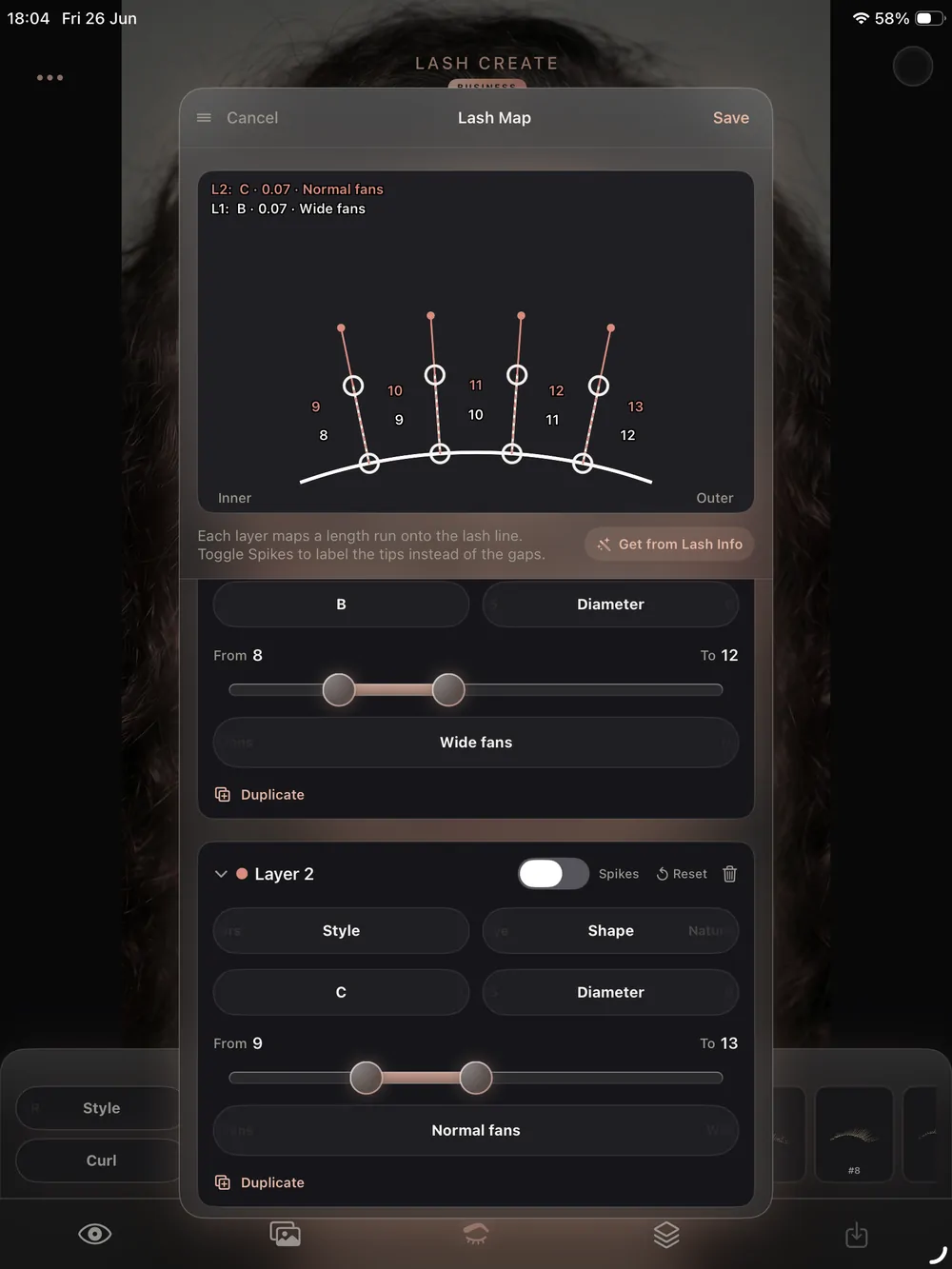
Take a photo of your client and place the lashes straight onto her own eyes. Pick from eight styles and six curls, stack layers for a hybrid look and recolour any layer with the HSB wheel. She sees the finished style on her face during the consultation, which makes the decision quick and the result easy to agree on, and you never open Procreate or buy a stamp pack.
Read more about the lash design and try on screens.
Four taps from photo to saved map.
The whole mapping flow fits between a client sitting down and you picking up the first lash.
Photograph
Take the photo inside the app and both eyes are found for you.
Map the set
Drop styles and curls on each eye and stack layers for hybrid or volume looks.
Colour
Tint any layer with the HSB wheel and mirrored gradients for coloured sets.
Save to the client
The finished map lands on her record, waiting for the next fill.
Her map, her photos and her notes, always together.
Every client in your lash tech app carries her own history. Photos from each visit, the map you used, lash health notes, signed consent forms and the date she is due back all sit on one card. When she books a fill you open her record and the last set is right there, so you are not scrolling a camera roll trying to remember what you did six weeks ago.
Explore client records in detail.
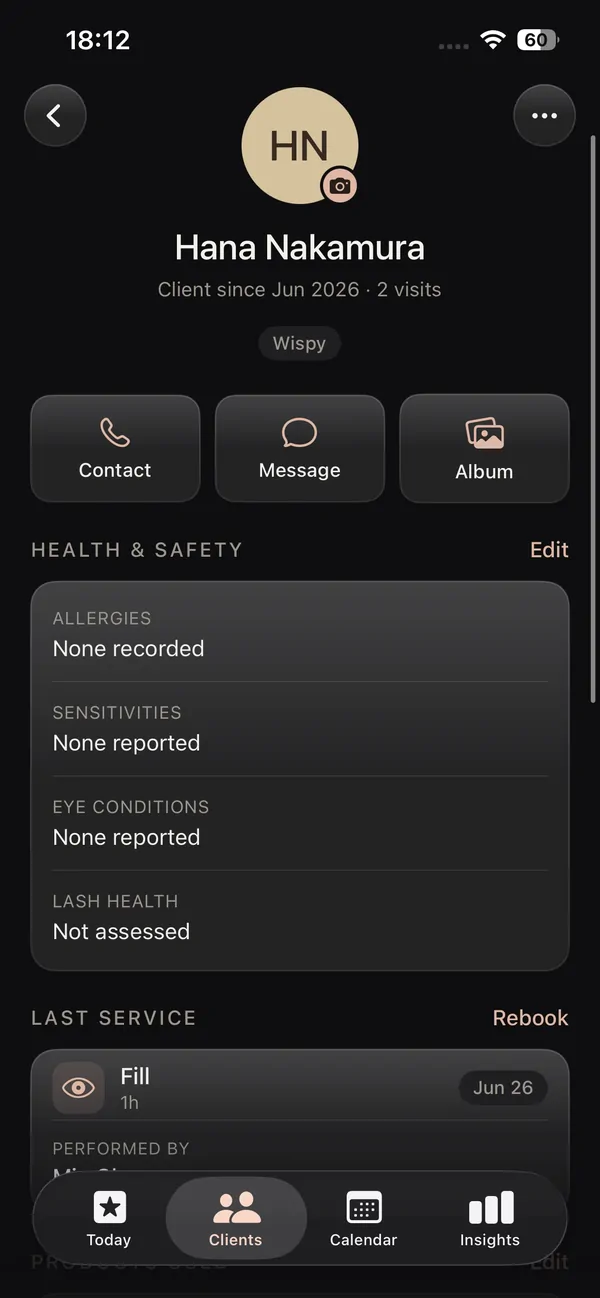
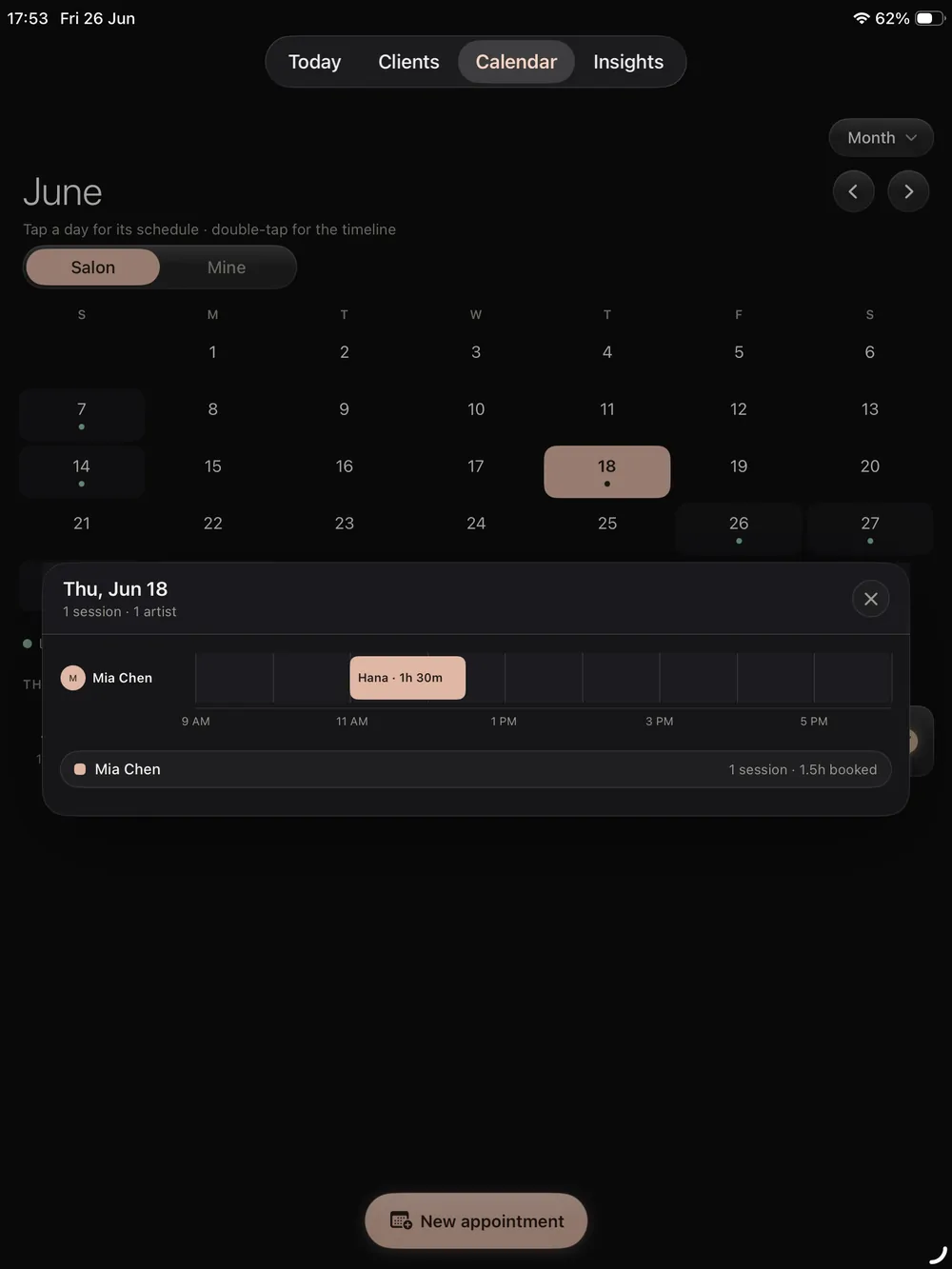
A diary built around sets and fills.
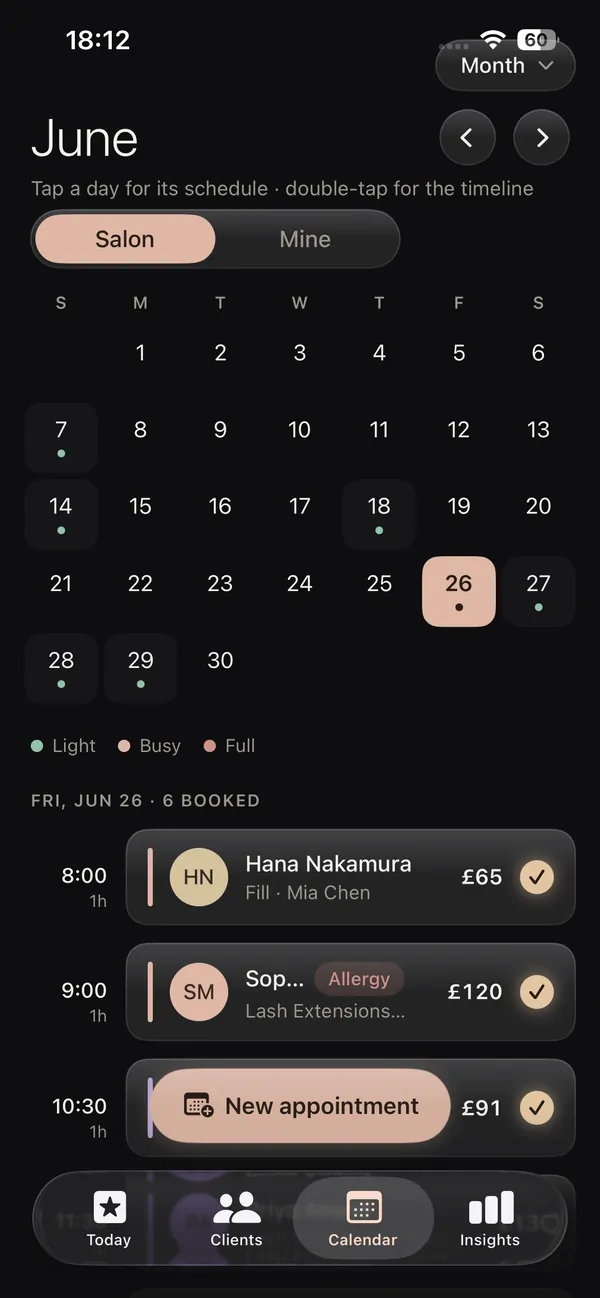
Set the length of a full set and the length of a fill once, then book from the client's card in a couple of taps. Flip between day, week and month and spot straight away where a last minute infill can go. Because your calendar lives beside the mapping and the client record, the appointment already knows which look you are doing when she walks in.
See the booking and calendar screens.
Clients book themselves and pay the deposit.
Give clients your booking link and they choose a service and a time that suits them, then pay a deposit through Stripe to hold it. You decide which hours are open. The booking lands on your calendar and a client record is created for you, which cuts the back and forth in your DMs and takes the sting out of no shows.
The link comes with its own mini booking site from the salon website builder, or you can drop it onto a site you already have. See online booking.
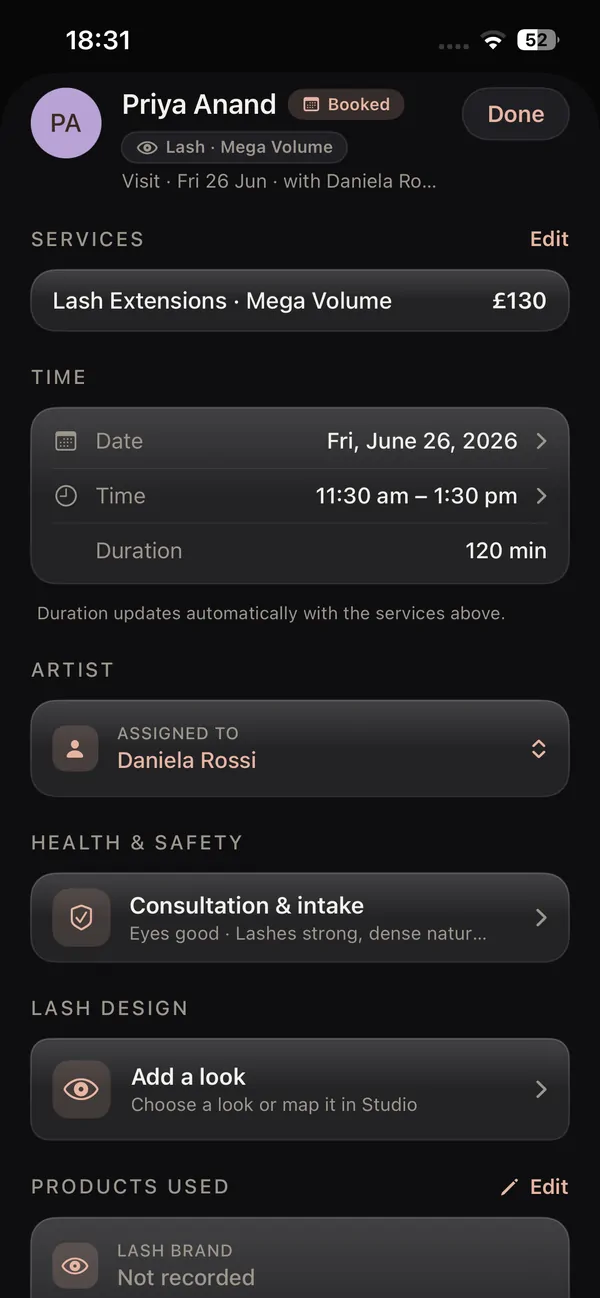
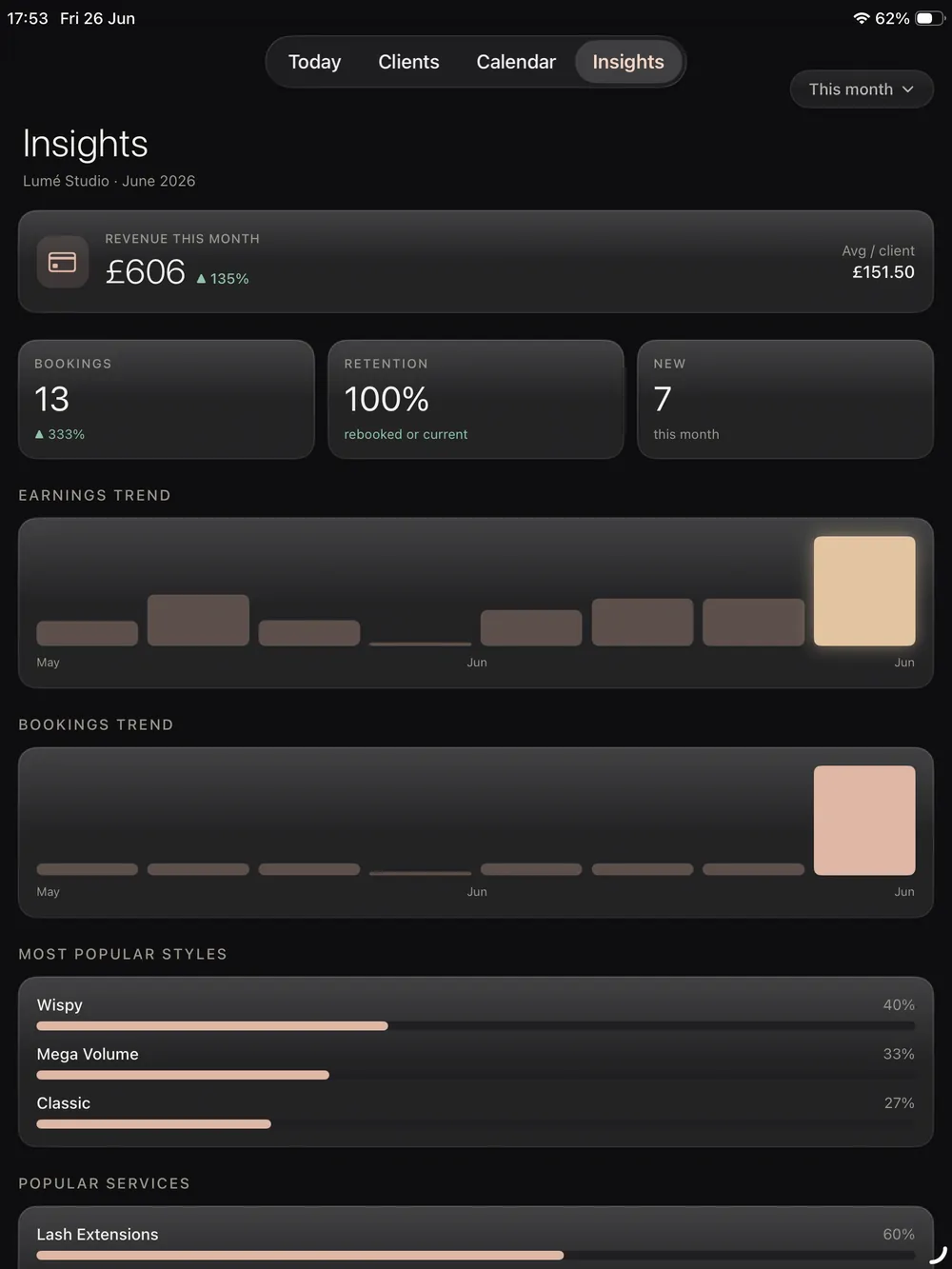
Get paid and know where it came from.
Log what each client pays, sell gift cards and prepaid bundles that settle to your bank through Stripe, and let the app total your income and rebook rates as you go. A lash artist working alone is also the bookkeeper, and that is the job that usually waits until tax season. Here it is done by the time you have cleaned your tweezers.
See payments and insights, gift cards and prepaid bundles.
Solo today, a salon when you are ready.
Most lash techs start on their own. If you take on a second artist or open a studio, the Salon plan brings up to nine artists into the same app, each with their own book and their own permissions, and you keep every client card you have built. Nothing to export, nothing to relearn, and your regulars never notice the change.
Compare the solo artist plan with the salon plan.
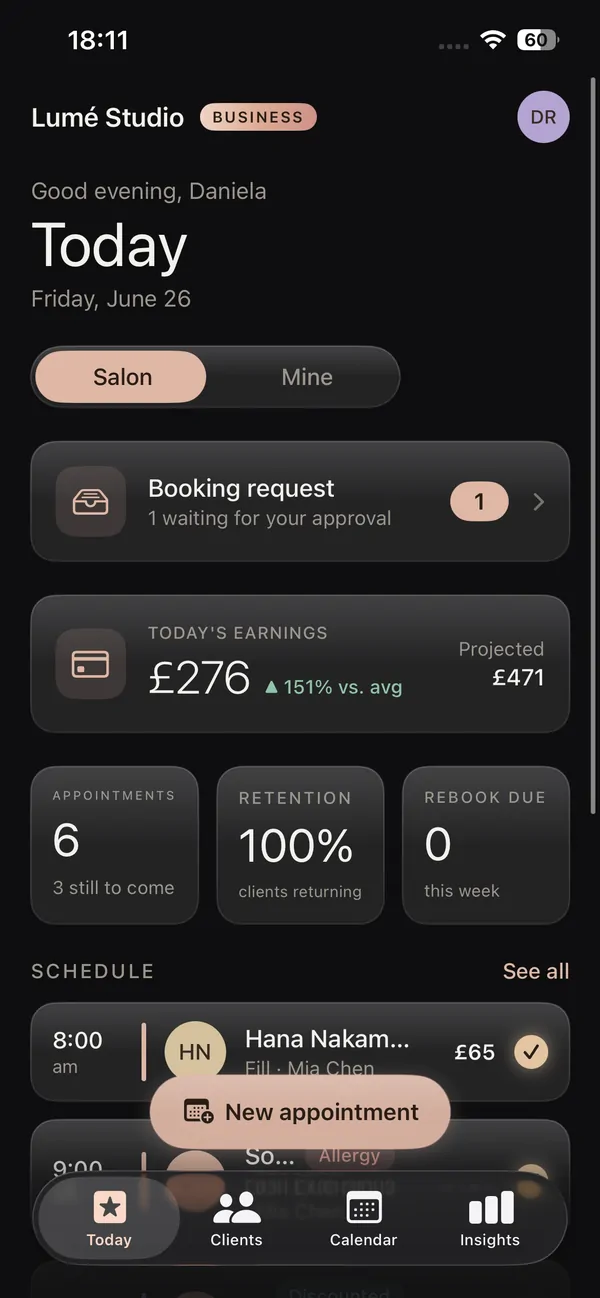
A lash tech app for iPhone and iPad.
Made for the Apple devices most lash artists already own, and for nothing else.
Lash tech app for iPad
On the iPad the mapping has space to breathe. Use the Apple Pencil to place and recolour lashes on a full size photo during the consultation, hand the screen over for a consent form signature, then check the week ahead and your figures without leaving the app.
Lash tech app for iPhone
Your phone is with you between clients, on the bus and at the kitchen table. The lash tech app for iPhone handles bookings, deposits, client chat, payments and a quick map on the same device you use for Instagram, and everything syncs to the client record.
Native on iOS
Lash Create is a native app, not a website squeezed into a browser tab. It opens fast, talks to the camera directly and behaves like the rest of your phone. It is available on iPhone and iPad only.
Why a lash artist needs a lash artist app, not a salon app
The apps most lash techs land on first were written for hair, nails and massage, then sold to everyone. They will take a booking, but they have no idea what a D curl is, cannot show a client a cat eye on her own face and have nowhere to keep your mapping photos. So you keep Procreate for design, a booking platform for the diary, a card reader for money and your camera roll for everything else, and you are the one holding it all together after hours.
One record from consultation to rebook
In Lash Create the consultation, the map, the booking, the deposit, the aftercare, the review request and the next appointment all attach to the same client. Whether you came here looking for a lash mapping app for consultations, a lash booking app for your diary, a lash CRM app for client records or a plan sized for a solo lash artist, it is the same download. You stop being the glue between four tools and get on with lashing.
Lash tech app vs the tools you are juggling now
| What you need | Broad beauty platforms | Spreadsheets & apps | Lash Create |
|---|---|---|---|
| Lash design & mapping | Not built for it | Separate drawing app | Built in on a real photo |
| Knows curls & fill cycles | No | No | Yes, made for lashes |
| Design tied to the client | No | Lives apart | One client record |
| Booking & online booking | Yes, generic | Manual | Built in, lash aware |
| Payments & insights | Yes, broad | By hand | Tied to each set |
| Directory listing | Paid tiers | None | Members' listing |
| Solo to salon, one app | Plan upgrades | Rebuild it yourself | Same loop, add seats |
| Start cost | Monthly from day one | Your own time | Free to start |
| Salon website builder | Add on or none | Separate builder | Built in, three templates |
| Gift cards & prepaid bundles | Sometimes | No | Built in, Stripe to your bank |
| Reviews & aftercare | Generic | Manual | Auto on completion, lash tuned |
| Referrals & promotions | Basic | Manual | Birthday, win back, last minute |
| Client chat & team chat | Sometimes | Personal DMs | In the app, tied to booking |
| Digital consent forms | Add on | Paper | Signed to record & PDF emailed |
| Native on iPad & iPhone | Web heavy | Whatever you use | Native on both |
Download the lash tech app for free
Start 14 day trialThe download is free. Business adds the diary, clients and payments, and you can cancel anytime.
What is inside the lash tech app.
Mapping, clients, booking, payments and your own booking site, on iPhone and iPad.
Lash artist app
Lash Create is a lash artist app in the plain sense. Every screen follows what happens in a lash appointment: a consultation on a real photo, the map, the set itself, the aftercare and the rebook, with nothing borrowed from a hair or nail product.
App for lash technicians
An app for lash technicians should take the admin out of your evenings. Deposits cut no shows, aftercare and a review request go out on their own when you complete the appointment, and clients message you inside the app rather than in your personal DMs.
Lash tech app for iPhone
The lash tech app for iPhone is the one you will open most. Confirm a booking from the sofa, take a payment at the end of a set and answer a client on the way home, with every action saved to her record.
Lash tech app for iPad
The lash tech app for iPad is your consultation screen. Map on a large photo with the Apple Pencil, pass the iPad across for a consent form and read the week ahead in one view before your first client arrives.
Booking site and directory
Lash Create also builds you a booking site with the salon website builder and lists you in a lash only salon directory, so new clients can find you and book without you paying for a website.
Free to start
Download for free and map today. Premium is $9.99 a month or $69.99 a year. Business is $19.99 a month or $129.99 a year for one artist, and Salon is $39.99 a month or $259.99 a year for the owner plus up to nine artists, both with a 14 day free trial. See pricing.
Frequently asked questions
What is a lash tech app?
A lash tech app is an app a lash technician uses to run her appointments and her business from a phone or tablet. Lash Create covers lash mapping and try on on a real photo, client records, online booking with deposits, Stripe payments, gift cards, prepaid bundles, consent forms, client chat, reviews and aftercare, in one download for iPhone and iPad.
Is Lash Create a good app for a self employed lash artist?
It was built for exactly that. A self employed lash artist gets mapping, a diary, a booking link with deposits and payments in one app, with no team features in the way, and can move up to the Salon plan later without changing apps or losing client records.
Does the lash tech app work on iPhone and iPad?
Yes. Lash Create runs on both, and your clients, maps and bookings stay in sync between them. Many artists map on the iPad during the consultation and handle bookings, chat and payments from the iPhone.
Can clients book and pay a deposit online?
Yes. You share a booking link, or a mini booking site made with the salon website builder, and clients pick a service and a time and pay a deposit through Stripe. The booking appears on your calendar with a client record ready to map.
Do I still need Procreate or a separate booking app?
No. The mapping stamps, styles, curls and colour tools are built into Lash Create and sit on a real photo of your client, and booking, online booking, deposits and payments are in the same app, so there is nothing else to open.
How much does the lash tech app cost?
Lash Create is free to download. Premium is $9.99 a month or $69.99 a year. Business is $19.99 a month or $129.99 a year for one artist, and Salon is $39.99 a month or $259.99 a year for the owner plus up to nine artists. Both come with a 14 day free trial, and the app is on iPhone and iPad only.